
Compress PDF
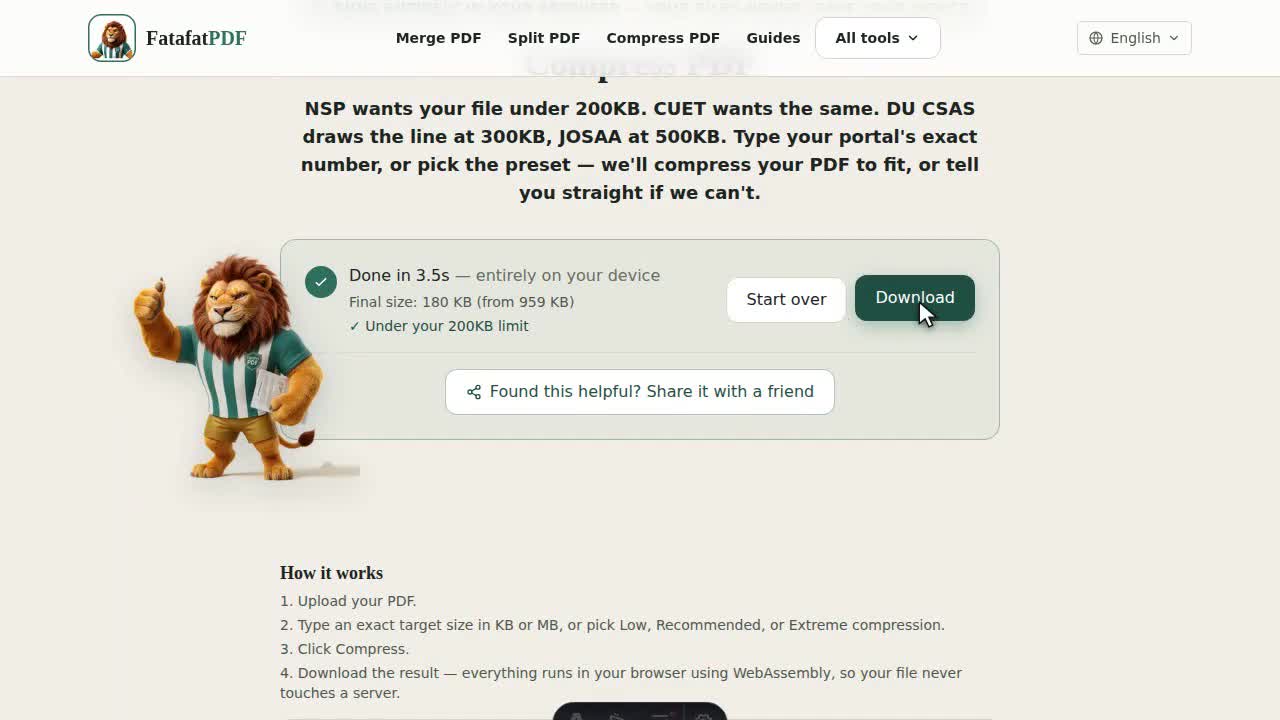
NSP wants your file under 200KB. CUET wants the same. DU CSAS draws the line at 300KB, JOSAA at 500KB. Type your portal's exact number, or pick the preset — we'll compress your PDF to fit, or tell you straight if we can't.
How it works
- Upload your PDF.
- Type an exact target size in KB or MB, or pick Low, Recommended, or Extreme compression.
- Click Compress.
- Download the result — everything runs in your browser using WebAssembly, so your file never touches a server.
We don't just squeeze a quality slider down until the number works. A tight target forced onto a full-resolution page collapses JPEG quality until text turns to mush — readable on a screen, ugly the moment someone zooms in on a scanned signature. So if hitting your number at full resolution would push quality below a legibility floor, the tool backs off resolution instead and tries again. You get the better trade at the same byte count.
Under the hood, three things shrink the file: images get re-encoded at a lower JPEG quality, the page gets rendered at a lower resolution when quality alone won't hit the target, and anything else on the page — embedded fonts, metadata, form fields, links — gets dropped, because the output is a flat image of each page rather than a copy of the original page objects.
What size does your portal actually want?
| NSP (National Scholarship Portal) | 200 KB |
| CUET | 200 KB |
| DU CSAS (Delhi University admissions) | 300 KB |
| JOSAA (JEE counselling) | 500 KB |
| Most state scholarship and admission portals | 200–500 KB |
| "Just make it smaller," no specific number | Under 1 MB is a safe default |
These are the numbers we see most often — not a guarantee. Portals change limits between admission cycles, sometimes without updating their own instructions page. Check your specific form before you upload; if it says something else, type that number into the exact-target field instead of trusting a preset.
Specific walkthroughs, by portal:
- NSP
- CUET
- DU CSAS
- JoSAA
- UPSC/SSC
- IBPS/banking
- RRB/Railway
- NEET
- JEE Main
- PAN card
- Aadhaar
- State scholarships
- Rejected? Start here
- Won't compress smaller?
- On your phone
- Several files, same size
- Best scan settings
Need to size the photo or signature that goes alongside these documents, not a PDF? Resize Photo & Signature crops and compresses to the exact px and KB those fields check.
Why portals reject an oversized PDF
- The scan resolution is higher than the document actually needs — a phone camera or scanner set to "high quality" produces a full-resolution image per page.
- Large embedded photos at camera resolution, even if the rest of the page is plain text.
- Leftover metadata and unused embedded fonts adding weight the page never needed.
- The file is genuinely over the portal's stated cap and needs compressing, not just resaving.
Why "target size" instead of just a slider?
Most compress tools ask you to guess a quality level and hope the result fits. If you have an exact limit — a scholarship portal, an admission form, an exam upload — telling us the number directly is faster and actually solves the problem you have. The same logic applies outside admissions season too — an email attachment cap, a web form that rejects anything over 5MB — anywhere you have an actual number instead of a vague "make it smaller."
Will I still be able to select or copy the text after compressing?
No. Hitting an exact byte count means every page gets rasterized to an image and re-encoded as JPEG — that's true for a scanned PDF and a text PDF alike. The result looks and prints fine, but the text is pixels, not characters, afterward. If you need the text layer to survive, compress a copy and keep your original.
Will links, form fields, or e-signatures survive compression?
No. Compression works by rendering every page to an image and rebuilding the PDF from those images, so anything that isn't visible ink — a hyperlink, a fillable form field, a digital signature object — doesn't come along for the ride. The page looks identical and a signature stamp still shows up as pixels, but the underlying interactive element is gone. If the file needs to stay fillable or the links need to stay clickable, keep your original alongside the compressed copy.
What if it can't hit my target?
Scanned or photo-heavy PDFs compress a lot. Text-only PDFs are already efficient and have a floor — we'll get as close as possible and tell you honestly, rather than pretend it worked. As a rule of thumb: a scanned or photographed page is almost all image, so it has the most room to shrink — 70–90% smaller isn't unusual. A page that's mostly typed text has very little image data to begin with, so compression buys you far less, sometimes only 10–20%, no matter how hard we push.
A few things that shrink a file before compression even runs, if you're still over the line:
- Crop dead space. A scan with wide blank scanner margins is carrying weight that's doing nothing — crop it first.
- Drop blank pages. Flatbed scanners love producing a blank page-back for every printed one — remove blank pages before you compress, not after.
- Go grayscale if the original doesn't need color. A black-ink marksheet scanned in full color carries three channels of data for information that's really one channel — convert to grayscale and recompress.
If you're scanning the document yourself before uploading, scan at a moderate DPI (150 is usually enough for a text certificate) and use grayscale instead of color for ID or certificate scans — it gives the compressor a smaller, cleaner starting point instead of fighting an oversized source. Phone cameras default to full color even for a black-and-white page, which is the single biggest avoidable source of bloat in a scan — switching to grayscale before you even take the photo, if your scanning app allows it, beats fixing it afterward.
Is my PDF uploaded to compress it?
No — compression happens entirely in your browser using WebAssembly. Your file never leaves your device or touches a server. That includes sensitive documents like Aadhaar, PAN, or signed certificates — nothing about them is sent anywhere. That's a different guarantee than a tool that uploads your file and promises to delete it later — there's nothing to delete, because it was never on a server to begin with.
Does compressing a PDF reduce text quality or make it blurry?
No — compression rasterizes every page into an image, so selectable/searchable text is lost in the process rather than preserved. Scanned or photo-heavy pages look about the same since they were already images. Text-heavy pages get a higher quality floor so the text doesn't turn to mush, but they're still flattened — if you need to keep your text selectable, don't compress that file.
Does compressing change my page count or delete anything?
No — every page you started with comes out the other side, same order, same count. Compression changes how each page is encoded, not how many there are.
Can I compress a PDF that's already password-protected?
Not directly — remove the password first, compress the result, then reapply protection afterward if you still need it.
Related tools
Related reading
- Best Scan Settings for PDF Uploads →
- Can You Compress a PDF Without Uploading It Anywhere? →
- Compress PDF to Under 2MB for Aadhaar Update Documents →
- Compress PDF to 200KB for CUET Document Upload →
- Compressing Several PDFs to the Same Size →
- DU CSAS Document Upload: Compress PDF to 300KB or 500KB →
- Compress PDF for IBPS and Bank Exam Applications →
- Compress PDF to 200KB for JEE Main Document Upload →
- JoSAA Counselling: Compress PDF Documents Under 1MB →
- Compress PDF to 200KB for NEET UG Document Upload →
- Compress a PDF for PAN Card Correction →
- Compress PDF Under 200KB for NSP Scholarship Uploads →
- Compress PDF to 10-40KB for RRB Railway Exam Uploads →
- Compress a PDF on Your Phone — No App, iPhone or Android →
- Compress PDF to 200KB for UPSC and SSC Application Forms →
- Compress PDF for State Scholarship Portals →
- PDF Upload Rejected for Wrong File Size: How to Fix It →
- PDF File Too Large to Email? Here's How to Fix It →
- Why Won't My PDF Compress Any Smaller? →