
PDF Invoices to GST Data
Drop in a batch of invoice PDFs — get back a GSTR-ready working file, split into monthly sheets with credit notes called out separately.
How it works
- Drop in your invoice PDFs — one file per invoice, or a file that bundles several invoices together (a marketplace's monthly statement, a scanned batch); each invoice or credit note inside is found and split out automatically.
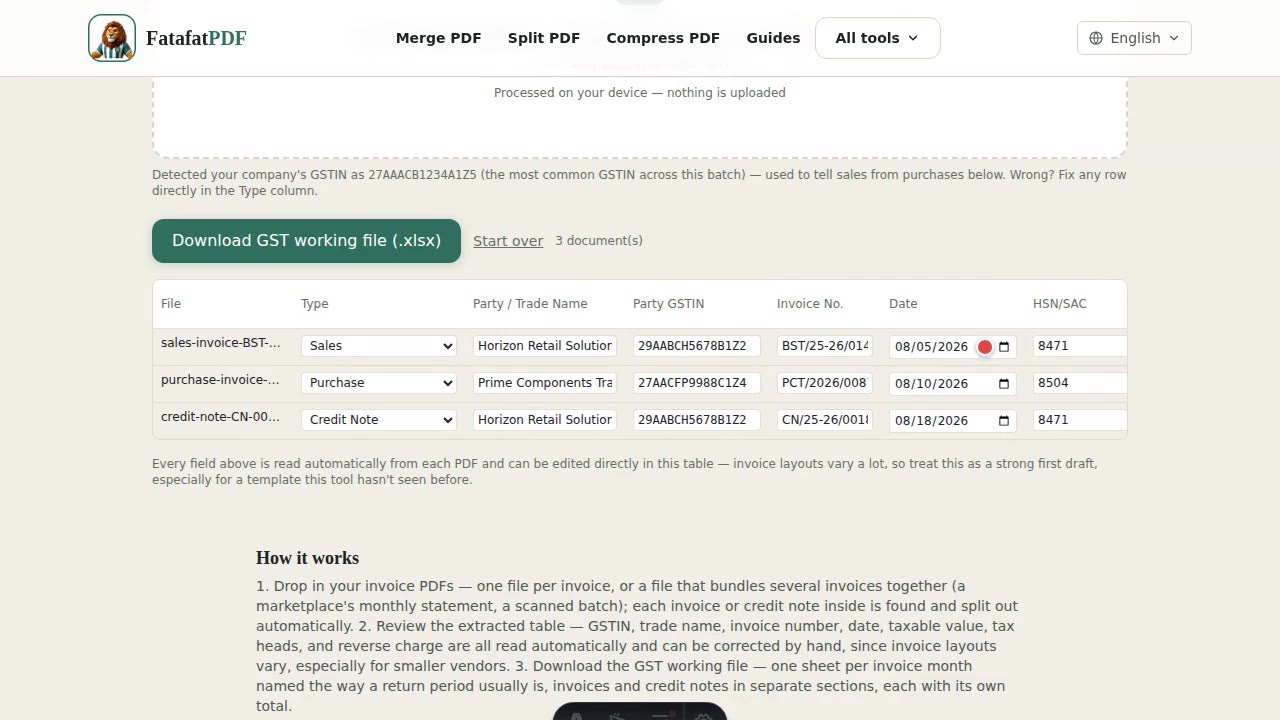
- Review the extracted table — GSTIN, trade name, invoice number, date, taxable value, tax heads, and reverse charge are all read automatically and can be corrected by hand, since invoice layouts vary, especially for smaller vendors.
- Download the GST working file — one sheet per invoice month named the way a return period usually is, invoices and credit notes in separate sections, each with its own total.
Does this handle a PDF with more than one invoice in it?
Yes — a single upload commonly bundles several invoices or credit notes into one PDF (a marketplace's monthly statement, an accountant's scanned batch), each as its own page or page range. The tool looks for where a new invoice/document number starts and splits the file into separate rows accordingly, while a genuinely multi-page single invoice stays as one row.
How is reverse charge determined?
Primarily from the numbers: if real CGST/SGST/IGST was actually collected, it's never reverse charge, regardless of what the text says. When nothing was collected on a real taxable supply, an explicit declaration on the invoice itself (e.g. "With Reverse Charge") is trusted — this covers a real-world case where the printed line-item rate is itself shown as 0%, which would otherwise look identical to an exempt or nil-rated supply. Without an explicit declaration, a GST rate printed anywhere with ₹0 actually charged is still taken as a Yes; no rate at all defaults to No.
My invoices are from small vendors, not a standard government e-invoice template — will this still work?
Extraction is label-proximity-based ("find 'Invoice No', read what follows it") rather than tied to one rigid template, specifically because real invoice layouts vary a lot — a large e-invoice/IRP-format bill, a marketplace tax invoice, and a small vendor's own letterhead are all handled by the same heuristics. It's a strong first draft, not a guarantee: every field can be corrected by hand in the review table before you export, and a row with something it couldn't read is flagged for a check.
What does the exported file look like?
One sheet per invoice month, named the way a GST return period usually is (e.g. "GSTR April 2026"), with columns for GSTIN of supplier, trade/legal name, invoice number, invoice date, taxable value, rate, and the three tax heads, followed by the total value. Credit notes (and debit notes, if any) for that month get their own labeled section underneath, each with its own total row, so they're never mixed into the regular invoice total.
Is my invoice data uploaded anywhere?
No — every PDF you drop in is read and parsed entirely in your browser using JavaScript. Nothing about your invoices, suppliers, or GSTINs is ever sent to a server. Note this tool needs a digital PDF with a real text layer — a scanned or printed copy is flagged immediately rather than run through slow in-browser OCR, so run it through the OCR PDF tool first if that's what you have.
Related tools
Related reading